Couple thoughts. For starters, the court let her out on bond, but she must stay in the Bahamas. Well fuck. That’s the worst punishment they could think of? I kid. I kid. I know. Innocent until proven guilty, right?
Speaking of proven guilty, defense lawyer’s main strategy is to say the only proof they have is a text message and that won’t cut it. And if they win? Goddamn. Wouldn’t that be the most awkward flight home? I’d ask for a seat by the emergency door with parachute in hand. And some no-doze. I ain’t going to sleep with a wife that wanted to kill me nearby.
Tags: news, plot Comments Off on That Awkward Flight Home When You Know Your Wife Wants You Dead
Posted
on July 31, 2023, 8:52 am,
by Walt,
under Install.
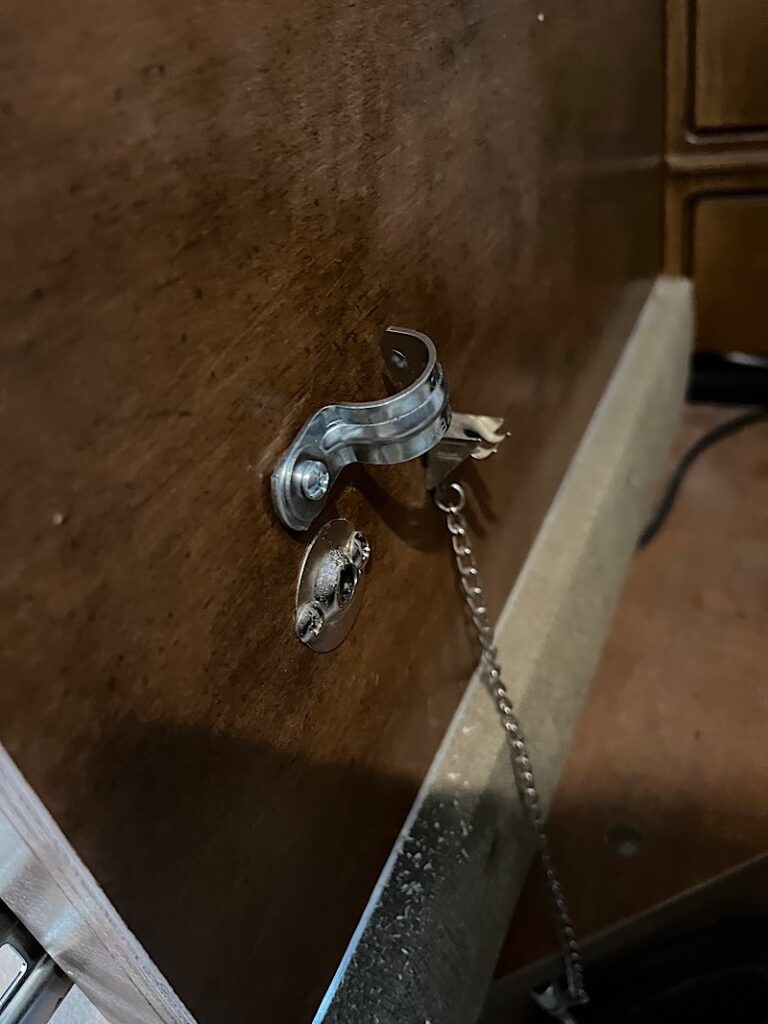
For those who need a solution for your Lance dinette booth drawers coming open even though you secure that pin in there, here’s your sign. I found it doesn’t matter how tight you get that pin in there, it eventually works its way loose and will let the drawer slide out and into whatever is in its way. I did this back in June of 2022 and it has held up well through 30 camping expeditions since then (today is July 30, 2023) requiring one tighten-up a couple months ago.
Pin catch – prevents booth drawer lock pin from falling out
There is literally a hundred ways one could do this. Choose mine, or make your own similar mod based off this idea.
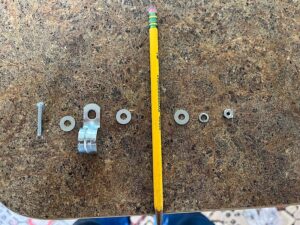
Each drawer will require a bolt, 3 washers, lock washer, nut, and a 1/2” conduit one hole strap. When it comes to the size of your bolts/nuts/washers, like my wife tells me, size doesn’t matter. Just make sure they can slip into the opening of that 1/2” conduit strap.
In the picture below you’ll find an example of the order in which all hardware will be installed. Picture this as your left-hand side booth drawer, and the pencil is left side outer wall of the booth. Reverse it for the right-hand side.
Hardware order – left side – pencil is the wall
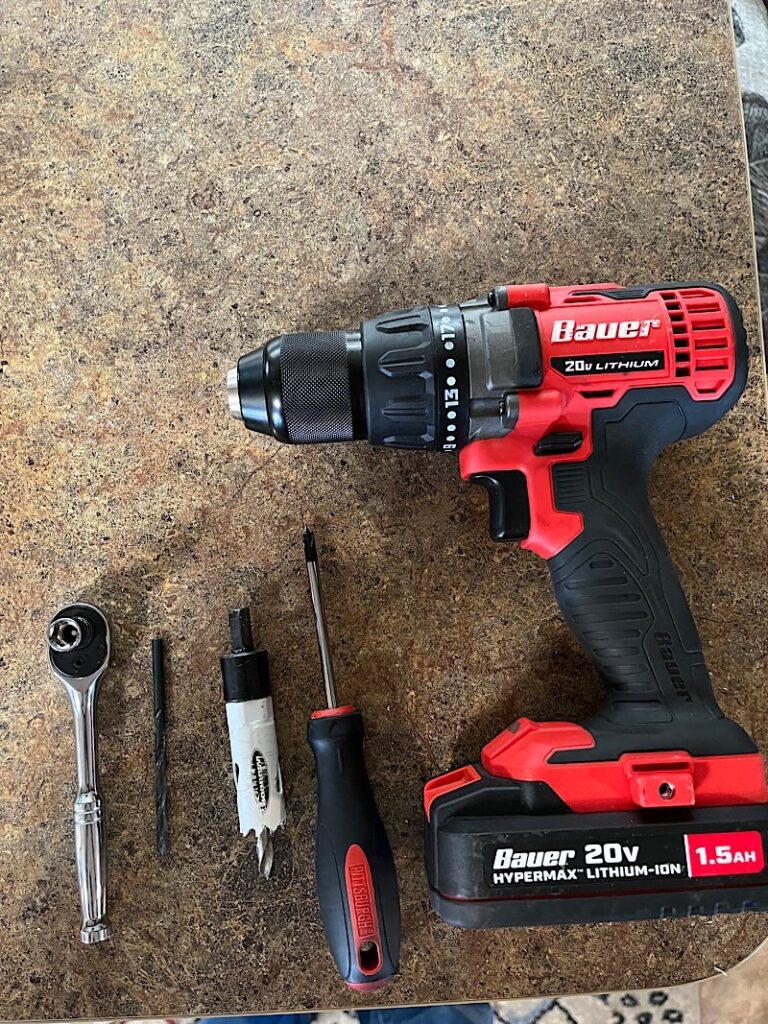
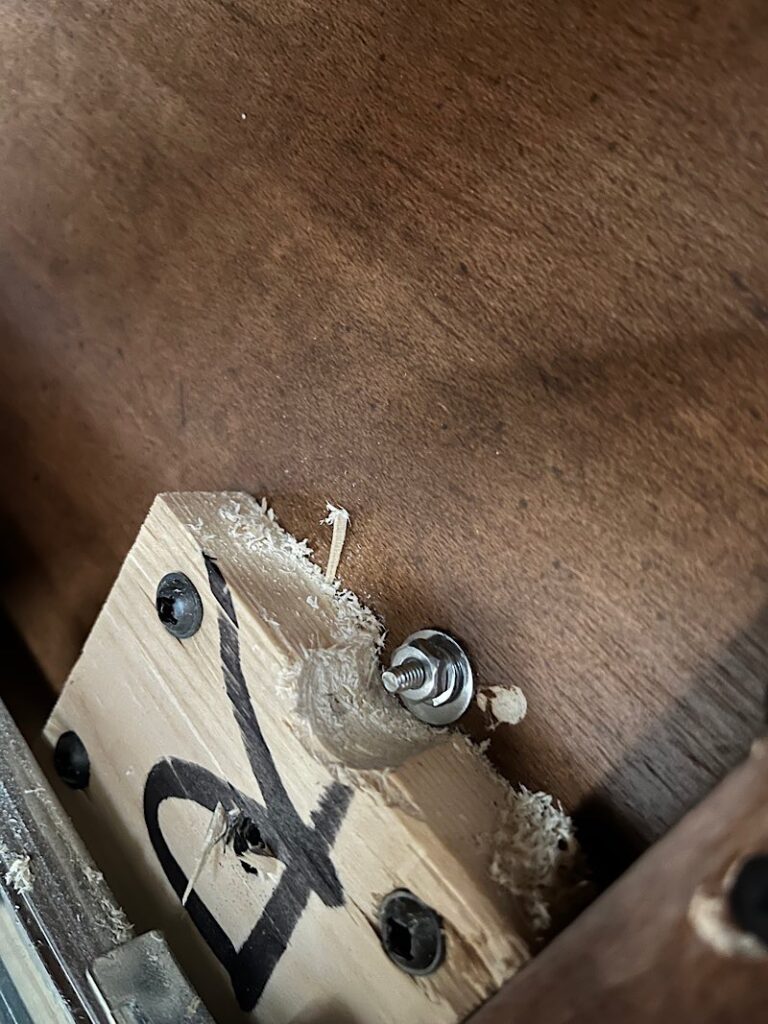
Required tools – screwdriver, wrench or socket, some drill bits based off the size hole you’ll be drilling, and possibly a small hole saw if the area you need to put the securing nut on the inside of the drawer support contains a support bracket. Mine did.
Tools required
Where I had to cut into the support with a hole saw.
See video below to see final product in operation.
Posted
on July 27, 2023, 5:28 am,
by Walt,
under Install.
Midland MXMC01
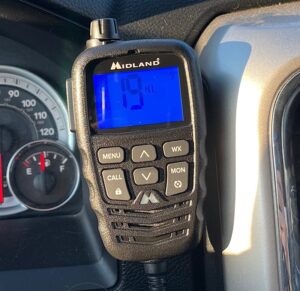
The Midland MXMC01 is a replacement/upgrade Speaker/mic for your Midland MXT275 or MXT 575 GMRS radio. When you can find it in stock, that is. Been especially hard to try to get one since it came out. Sells out fast. It boasts a much larger display that translates into more human words in the menu system rather than codes. The mic features Automatic Noise Cancellation to filter out unwanted noise when transmitting. And my favorite addition – a real power/volume knob instead of buttons. What’s conspicuously missing from the documentation is any reference to the built-in speaker of the the handheld mic. It does have one and here is how to choose between the mic and radio base speaker.
What it doesn’t have is the same method to change it in the menu system. It is missing from the menu but is still there and can be selected by short-pressing the Lock button and using the Channel up/down buttons to select.
To the bottom right of the active channel number you’ll see the same abbreviations you are accustomed to if you used that feature on the old display:
HF AO = handheld speaker is active/radio base speaker is off. HO AF = handheld speaker is off/radio base speaker is active. HO AO = both the handheld and the radio base speaker are active.
No confirmation button to select – wherever you leave it in the menu is where it will stay until you change it.
Click here to view the custom install of my GMRS radio install in my Ram Laramie.
Tags: 2-way radio, GMRS, mic, radio Comments Off on Midland MXMC01 Undocumentation – Speaker Select
Posted
on July 22, 2023, 8:13 pm,
by Walt,
under Camping.
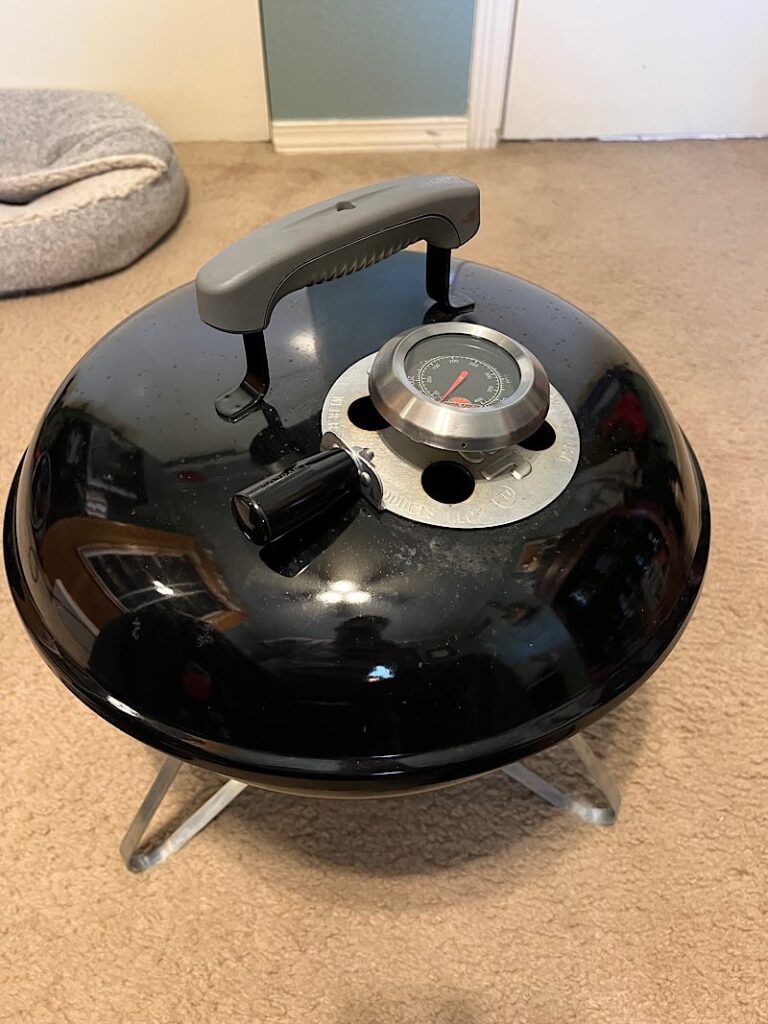
Weber Smokey Joe Mod – vent handle and thermometer
When talking a great all around grill/smoker, the lowest common denominator is the Weber Kettle. You can set it up for direct or indirect heat as well as smoke on it. It’s been the gold standard for years. You look at the universal symbol for a BBQ grill and what do you see? The lovely Weber Kettle shape.
When camping, it’s a given that there will be some grillin’. That’s just how it is in my world. The problem with camping grilling is that you still want that classic grilling experience and flavor but without all the space and weight. Enter the humble Weber Smokey Joe. Small. Lightweight. Classic kettle experience.
Grilling steaks and smoking brats are my two favorites. I’m talking REALLY smoking them brats. Indirect heat. Put some cross hatch cuts in them things, throw a chunk of hickory or mesquite on the coals, and cook them low and slow for about 45 minutes. Brats don’t get any better than that.
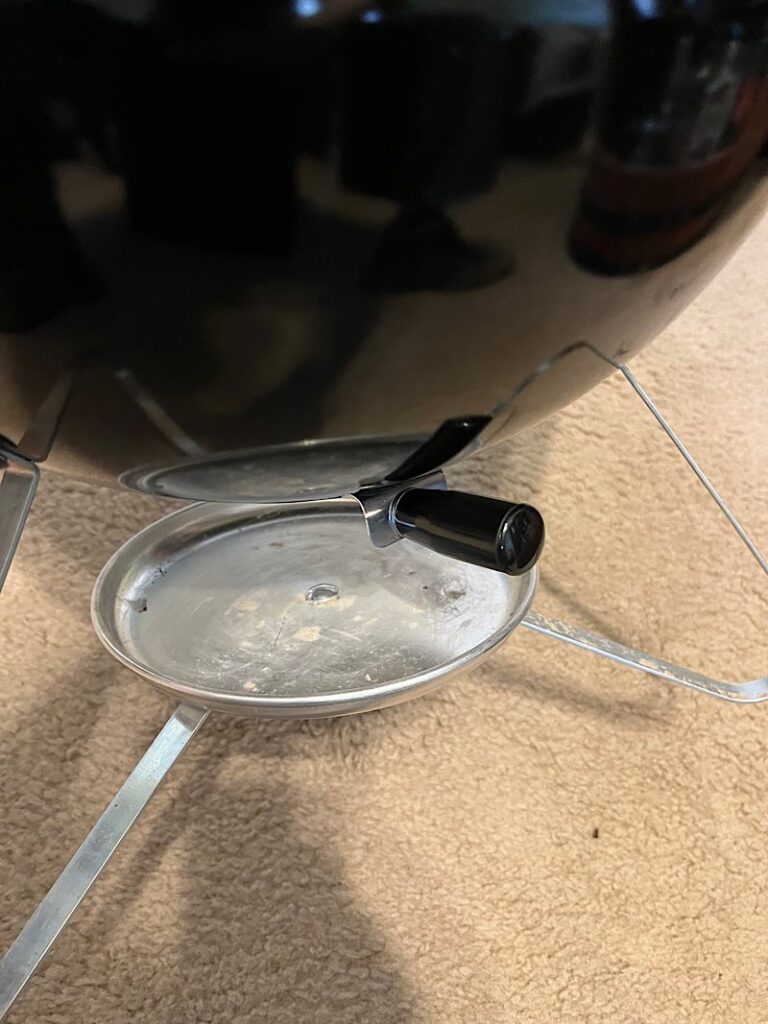
So why not mod this baby to make it more like it’s big brother, right? That’s exactly what I did. I saw these mods done by other YouTubers and took a page out of their playbooks. I drilled/dremelled out the rivet holding the lid vent on, widened the hole, and inserted a Lava Lock thermometer with a lock washer and wing nut. Also, added a Lava Lock lever to the vent so I don’t have to grab some gloves to adjust the airflow. Same thing on the bottom vent – drilled a hole in the small grip and added a stay-cool lever.