Millennials are Running the DMV

I went to renew the tags on my Softail the other day…
Apparently, millennials are in charge over there.
I went to renew the tags on my Softail the other day…
Apparently, millennials are in charge over there.

Lithium Iron Phosphate, or LiFe batteries are all the rage. They charge faster and weigh about half as much as their lead acid counterparts. They have bluetooth connectivity to report their status. They have their own Battery Monitoring Software (BMS) to protect them against extreme environmental conditions. They will last you on average 8-10 years. Win-win, right? But they are a bit more fragile. You’re not just going to just let this battery hang out on the tongue of your camper like you would a regular acid lead. Those things are indestructible.
LiFe batteries need a little bit more tender loving care. They can safely discharge from below zero all the way up to 140 degrees, but can only safely charge over 32 degrees. The BMS constantly monitors parameters such as these and will automatically cut off charging to prevent damage to the battery – damage being extremely shortening its lifespan.
Another not-so-much of a win is the price, although they are starting to become more economically viable. I had a 200ah AGM battery that weighed over 160 pounds that I paid around $400 for verses the same size LiFe battery hovering around $1000.
We don’t typically camp where it’s cold. By cold, I mean doesn’t reach up into the 50s or 60s during the day. I don’t mind it dipping into the 20s overnight – that’s what the furnace is for. But I don’t want to use a generator, I expect my solar panels to bring my battery back up to full charge during the day, and do that without having to use the furnace during the day. Keeping the windows closed when the outside temps are 50-60s, the RV will get into the 70s inside. If we have to on a day here or there, that’s all right. Our battery is big enough to handle that. But I wouldn’t want to press my luck for a week straight. Besides, I wouldn’t even want to play outside in that kind of weather for that many consecutive days. That’s what we do when we camp – we play outside. Hiking. Biking. Mountain climbing.
First thing I had to was find a good spot inside the RV. My AGM was mounted on the tongue behind the propane tanks. I had created a shelf a few years ago inside a compartment to hold my stainless steel gas grill. I even mounted straps on the shelf in order to secure the grill inside the cubby. I could retrofit that shelf to hold the new LiFe battery instead, in a way that would also utilize the straps intended for the grill. I took off the shelf off the support legs I had built, and dropped the shelf to the floor and secured it to the floor. Battery fits on the shelf, straps wrap around the top of the battery on both left and right sides. I secured a few pieces of wood with screws, essentially framing the base of the battery to prevent it from sliding left/right or forward/backward. The two straps will hold it down. This system works really well for keeping that battery in place. Most of our camping is done in National Forests and BLM areas.
Along with this new lithium battery I was installing a battery monitor. Something to track the amp hours coming in and going out. Since the voltage on a lithium battery doesn’t decrease with use, it becomes impossible to use the standard 4-bar battery meter that comes with most RVs. This battery is going to read between 13.3 and 14.1 (a full 4 bars on the standard meter) volts at all times until it is depleted. Those 4-bar meters rely on the voltage drop to determine how much battery life you have left.
Since I was installing a battery monitor and inverter, I figured I better install a heavy duty terminal bar. That battery monitor requires the use of a shunt on the negative side of the battery so that it monitors every last electron. The inverter uses a 4 gauge battery cable. A bus bar just made sense. I ordered a couple of 1/4 inch thick copper bars, drilled some “H” size holes in them in order to tap a M8 thread to hold a standard M8 bolt that would secure the terminals. Wanting this power distro board to look professional, I also took some fabric and covered some wooden boards that I would eventually mount these copper bars on. 1/4 inch acrylic sheets were cut down to use as protection agains foreign materials coming into contact with the bus bars. The entire power distro board mounted vertically to the wall of the cubby, inches from the battery.

Results: battery fully charged by the 20 amp Renogy Charger as indicated by the battery itself in the DC Home app. I reset the charge indicator on the Battery Monitor to tell it what this fully charged battery looks like – calibrated. The monitor tells me I am using 1.3 amps at the time, 99 hours of use left from this 200ah battery as long as the RV consumes at a constant rate that it is at that time. That is the fridge, display light of the entertainment center, couple LED lights. It is November, so sunset is at 5:45PM, full dark by 6:30. Furnace kicks in. Battery monitor now shows 7.5 amps being used. The time reaming drops from 99 hours to 26 hours. This battery could run the furnace for 26 hours straight. But we know it won’t happen. The furnace will simply kick on and off all night. Which it does. Thermostat set to 65. Outside temps drop down to 42 degrees overnight.
Sunrise occurs at 6:45am. I’m up at 7 and check on the monitor. 164 amp hours remaining. Percentage is down to 82%. Daytime temps reach as high as 64. Temp inside the RV reaches mid 70s with windows open. By 2PM, the solar panels have managed to charge the battery back up to 100% Battery monitor indicates 100% and 200 amp hours for a minute. Then stays at 100% but drops the amps down to 199 where it stays for the rest of the day. DC Home app indicates battery stays at 100% and 200 amps. Impressive.
Another test involved tracking the temp in the battery compartment as it falls below freezing outside. Overnight temps dropped to 26 degrees. Maintained 65 degrees inside the RV overnight. DC Home app says the battery reported dropping down to 42.3 degrees, which did trigger a “warning” from the battery’s BMS. Nothing happens from a warning. You wouldn’t even know the alarm tripped unless you are monitoring via the app. The manual for the battery says the BMS will shut off the acceptance of a charge if the battery drops below 32 degrees. Monitoring the temp overnight with my own thermometer, the lowest the compartment reached says 43 degrees. So 28 outside, 55 inside, and still 43 degrees inside the battery compartment. I think this location will work out fine for the battery.
Over our Thanksgiving week camping trip out to Organ Pipe Cactus National Monument’s Twin Peaks Campground, I installed the Renogy 1000 watt inverter. That’s enough to power our air compressor. We use our mountain bikes during our excursions, resulting in a lot of low pressure and tire popping from cacti. Slimed tubes are a requirement if we don’t want to repair or change out tubes daily. It’s nice to be able to use a bigger air compressor. Eventually, I plan on connecting the inverter directly into the power distro box for the Lance with a rotary switch that will allow me to choose between shore or inverter power. On the shore power side, I replaced the stock converter/charger with a Progressive Dynamics PD 4600 series lithium battery charger.

Links to Installed Equipment
(opens in a new tab at the manufacturer’s website)
Renogy 200ah LiFe battery
Renogy 4000w peak/2000w continuous Inverter
Renogy 500 amp battery monitor with shunt
Renogy Adventurer Li 30 amp PWM charge controller
Renogy solar panels
Progressive Dynamics PD4655LIV converter/charger

Much like you, I see a multitude of bullshit fake news on the web in the course of a single day. Most goes in one eye and… out the other? Is that even a thing? Sometimes I see something that peaks my morbid curiosity and I have to fact-check them myself.
Like Jeremy Bentham’s skeleton and severed head. Yeah. Go check THAT shit out and come back here. I’ll wait. Pretty gnarly aye?
Another that garnered my attention was something called a vulture bee. As the name implies these bees feed off carcasses instead of pollen. They burrow into a dead animal, usually via the eye socket (just like a maggot), feed off the dead meat which is then brought back to the hive, regurgitated for the worker vulture bees, who in turn produce a “meat honey” from this putrefied flesh. Unlike regular bees they don’t go after pollen. Nor do they make an abundance of their precious meat-honey. Apparently it is so exquisite that they make just enough to sustain their hive – unlike regular pollen-honey producing bees who provide an over abundance of the heavenly concoction that has always adorned my cabinet with its presence.
Now if you’re sick like me, you have to be wondering what this honey would taste like, right? Meaty? From what I can gather, those who have had the testicular fortitude to taste such a rare and limited treat, have described it as smokey, salty, intense. Even, uniquely sweet. I’m getting the Meat Sweats just thinking about it. Perhaps drizzle it over a medium-rare ribeye? Glorious!
Oh, and they are also are part of the Meliponines tribe of bees which are distinctly unique in that they don’t have stingers. Probably a good thing. Can you imagine getting stung by one after they’ve been crawling around the inside of roadkill? Who knows what kind of virus we’d be introducing ourselves to.
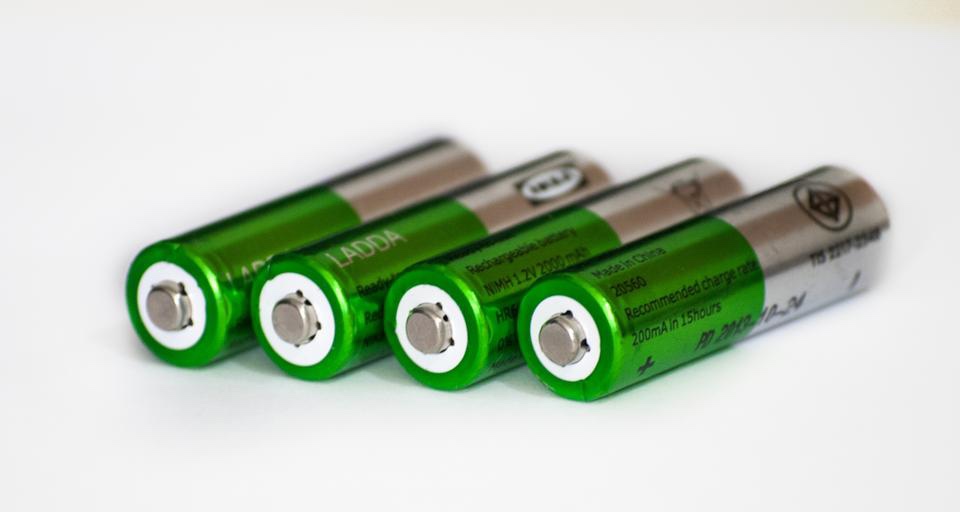
Did you hear about the one where we invented a battery that could power a house for years and was charged by the sun? And then quietly gave that technology away. For the same reasons (I’m sure) that we shuttered/destroyed that first mass produced electric car.
Oops! Can’t have that! This would have shut down the gas/oil/coal business, so of course they got rid of it.

While the daily temperatures are soaring into the “hundos,” as my hipster young weatherman likes to say, it truly is refreshing to head up into the mountains and enjoy a dip into the 40s and 50s overnight. I especially like the high of the day being around 70. The Sacramento District of the Lincoln National forest is just over 100 miles away. This provides the perfect spot to get away from these smoking oven temperatures for the weekend. Having a trailer that provides all the amenities of a small cabin in conjunction with the free dispersed camping of the national forest helps. Its like we have that proverbial cabin in the woods wherever and whenever we want it to be. No point in owning property up there when you can have it for free.
Couple weeks ago we drove down Forest Road 223 and found this nice spot. There are dozens of equally nice spots along this stretch of forest road. Plenty of hiking opportunities or just set up a hammock and relax. Nothing like having a cold beer after a long hike, followed by a shower, grilling dinner, and ending the evening with a cigar and whisky next to a crackling fire.
On a side note, a quick look under the trailer verified my fix for the tunnel cover is holding as intended. The real test will be that interior Main Park Road at Big Bend Ranch State Park we’ll be hitting at year’s end.